
Are you considering a move to the cloud but unsure if it is the right decision for your organization? Many business leaders researching the pros and cons of cloud migration receive confusing and conflicting advice about security, costs, and whether cloud infrastructure truly fits their operational needs. The reality is that there is no single perfect solution. Whether you rely on an in-house server, fully migrate to the cloud, or adopt a hybrid model, every approach has advantages and disadvantages that must be evaluated carefully. Cloud migration can offer flexibility and scalability, but it also introduces considerations around cost management, data security, and infrastructure planning.
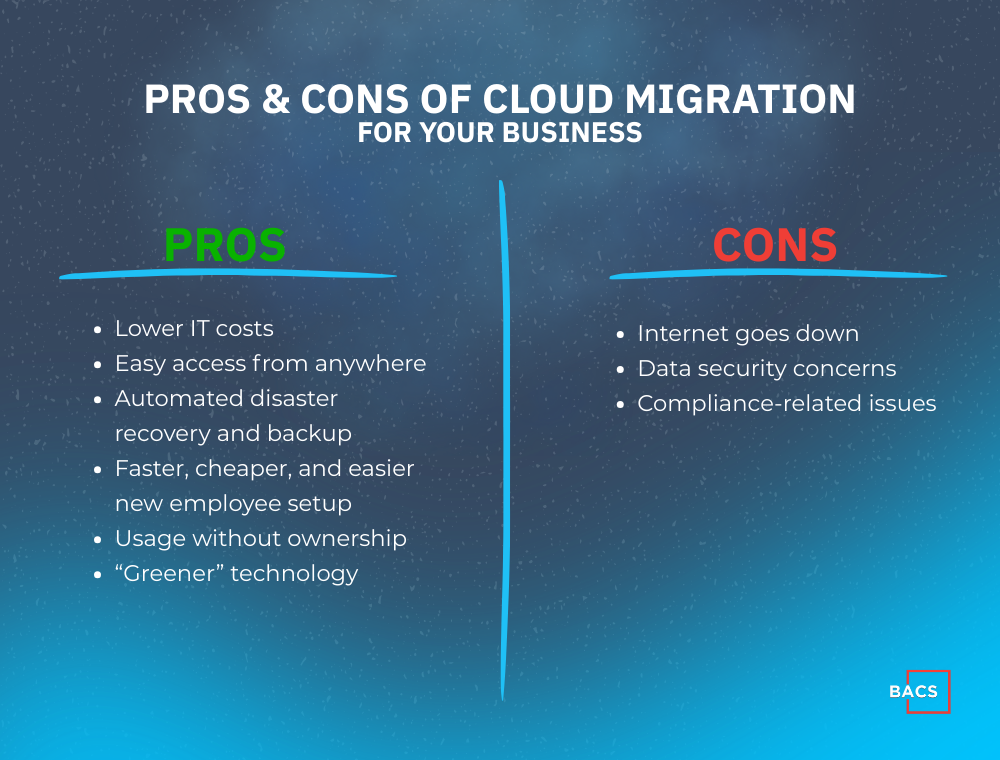
To help you evaluate your options and avoid expensive or time-consuming mistakes, this guide breaks down the most important pros and cons of cloud migration so you can determine what approach makes the most sense for your organization.
Pros Of Cloud Migration
1. Lower IT Costs
Decreasing costs is typically the most compelling reason why companies move their network (or part of it) to the cloud. You save money on software licenses, hardware (servers and workstations), and IT support and upgrades. So if you hate continually writing cash-flow-draining checks for IT upgrades, you’ll want to look into cloud computing.
2. Easy Access from Anywhere
Cloud computing gives you the ability to access your desktop and applications from any device, anywhere. Cloud computing gives you the ability to work from remote servers, laptops, and iPads as you prefer while you are at home, at work, or away traveling.
3. Automated Disaster Recovery and Backup
The server in your office is extremely vulnerable to several threats like viruses, human error, hardware failure, software corruption, and, of course, physical damage due to natural disasters. If your office becomes a pile of rubble, but your server is on the cloud, you could be back up and running during that same day just by purchasing a new laptop. This quick recovery would not be possible with a traditional network that uses only physical storage devices. Cloud platforms are also far more secure and robust than your average business network. They utilize economies of scale to invest heavily in security, redundancy, and failover systems, making them far less likely to go down.
4. Faster, Cheaper, and Easier New Employee Setup
Cloud computing will be more effective for a seasonal workforce environment or one with a lot of employee turnover by lowering the costs and increasing the speed of setting up new employee accounts.
5. Usage Without Ownership
While you use cloud technologies, you have zero responsibility of having to install, update, and maintain the infrastructure itself. This scenario is particularly attractive for companies that are new or expanding but don’t want the substantial cash outlay required to purchase and support an expensive computer network.
6. “Greener” Technology
Cloud computing saves on power and your electric bill. For smaller companies, the power savings will be too small to measure. But, for the larger companies that have multiple servers running 24/7/365 and that are continually cooling off a hot server room, the savings are considerable.
Cons Of Cloud Migration
1. The Internet Goes Down
Even with a commercial-grade Internet connection and with a secondary backup connection, there is always the chance that at some point you will lose Internet connectivity and not be able to perform your work.
2. Data Security Concerns
Many people don’t feel comfortable having their data in some off-site location. When choosing a cloud provider, find out their data storage locations, how they encrypt your data, how they assign access, and how you can get your data back when needed.
3. Compliance-Related Issues
Several laws and regulations require companies to have full control, protect their data, and even certify that they know and have control over who accesses the data, who sees it, how it is stored, and where it is stored. Examples are Gramm-Leach-Bliley, Sarbanes-Oxley, and HIPAA, In a public cloud environment, this can be a problem because many cloud providers won’t tell you precisely where they store your data. Most cloud providers have SAS 70 certifications. These certifications allow them to describe their environment, how and where data enters, and how they process the data. Still, as the business owner, it’s your neck on the line if the data is compromised, so it’s essential to ask for validation that they are meeting the various compliance regulations on an ongoing basis.
Common Cloud Migration Challenges

In addition to pros and cons, there are some migration-related hitches you need to know about transitioning to a cloud-based environment. When done right, a migration to a cloud solution should be like any other migration. You need to have a plan, determine and meet the necessary prerequisites, and iron out the quirks once you make the transition. Every company has its unique environment, so it’s practically impossible to try and plan for every potential pitfall. However, here are some important aspects of migration you want to ask your IT consultant about before leaping.
1. There Can Be Downtime
While some businesses cannot afford any downtime, others can do without their network for a couple of days. You want to communicate your specific needs regarding downtime and to make sure your IT provider has a well-thought-out plan to prevent extended that preferred length of time.
2. Performance Can Be Painfully Slow
Before making the full migration, make sure to run your network in a test environment. Imagine your frustration if you find that everything runs so slow you can barely work after you have migrated. Since every situation is slightly different, it’s best practice to test before you transition fully.
3. 3rd-Party Applications Could Fail
If your organization has plug-ins or integrations into other applications, make sure you test to see if that everything still works in the new environment.
Evaluating the Pros and Cons of Cloud Migration
Cloud migration can offer significant benefits, including improved scalability, remote accessibility, and reduced infrastructure management. At the same time, organizations must carefully consider potential challenges such as data security, compliance requirements, Internet reliability, and application compatibility. The right solution often depends on your company’s existing infrastructure, growth plans, regulatory requirements, and operational needs.
For many organizations, the most effective approach is not choosing between fully on-premise or fully cloud environments, but identifying the right balance between the two. A hybrid strategy can provide flexibility while minimizing disruption and risk during the transition.
Before making any major infrastructure changes, it is important to evaluate your current network, applications, and security posture to determine whether cloud migration is the best strategic move for your organization.
Is Cloud Migration Right for your Business?
We recommend a Cloud Readiness Assessment before you migrate to the cloud consisting of a complete review and inventory of your company’s current network, backups, and technologies. It will answer the following questions.
- Can cloud technologies eliminate the cost, complexity, and problems of managing your in-house server and, at the same time, give you more freedom, lowered costs, tighter security, and instant disaster recovery?
- Are your IT systems safe from hackers, viruses, and even rogue employees?
- Are your backups configured so you could be back up and running again fast in the face of a disaster?
- If you already use some cloud technologies, are you protected from the harm, lawsuits, or financial devastation that security leaks, theft, data loss, hacks, or violating ever-expanding data privacy laws could bring?
Having these answers will guide your company to higher efficiencies and profits, better strategic plans, and more tools and systems to fuel growth.