
A cloud migration checklist helps your team prepare before applications or data move. First, take stock of how your business works today, what needs to change, and how employees will keep working during the transition.
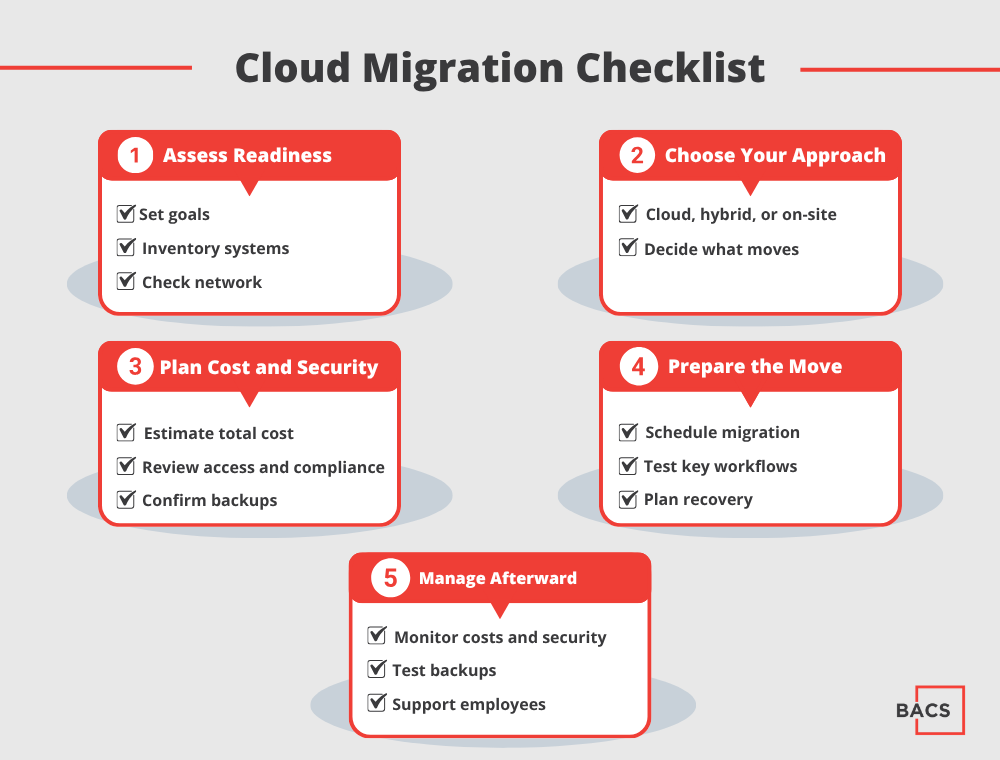
If you are still deciding whether a move makes sense, start with our guide to the pros and cons of cloud migration. Then, if you are ready to plan, use these ten steps to map the work ahead.
Cloud Migration Checklist: Prepare Before You Choose a Platform
1. Define the business goals
First, list the business problems you want the move to solve. For example, you may want to replace aging servers, support additional locations, improve recovery options, or reduce time spent maintaining infrastructure. Next, agree on how you will measure success.
2. Inventory applications, data, and devices
Next, list the systems employees use, where each system stores data, who owns it, and how important it is to daily work. Include line-of-business software, databases, shared drives, printers, specialized equipment, and third-party services. That way, your team can catch hidden costs and avoid interruptions caused by a missing application or device.
3. Map dependencies between systems
After that, map the applications that share data or rely on local servers, integrations, network drives, identity services, or specific devices. Also, note which teams and vendors need to join the project. These connections show what can move on its own and where your team needs to coordinate.
4. Choose what to move, keep on-site, or replace
A migration does not have to move every system at once. For example, some workloads may fit a cloud environment, while others may work better on-site or in a hybrid setup. For each application, record your chosen approach and the reason behind it. BACS’s Cloud Services team can help compare cloud, on-premises, and hybrid options.
5. Check network and Internet readiness
Before you migrate, review bandwidth, latency, firewall capacity, Wi-Fi coverage, and the reliability of each office’s Internet connection. Also, plan how employees can work if the primary connection fails. A network assessment can reveal problems your team should fix before employees depend on cloud-hosted systems.
Cloud Migration Checklist: Confirm Cost, Security, and Recovery
6. Estimate the full cost
Next, estimate the full cost. Include subscriptions, licenses, storage, data transfer, backup, security tools, support, and temporary costs during the transition. Separate fixed costs from usage-based charges. Then assign someone to track spending after migration and flag unexpected changes.
7. Review security, access, and compliance needs
At the same time, review security, access, and compliance needs. Decide how employees will sign in, what permissions they need, how your team will remove access when roles change, and which devices can connect. Identify sensitive data and any rules for where your team can store it, how long you must retain it, or how you should document access. Cloud providers and customers share security responsibilities, and the split varies by service. Microsoft’s shared responsibility guidance explains the distinction.
8. Confirm backup and recovery requirements
Then, define backup and recovery requirements. List the systems and data your team must protect, how often backups should run, how long you need to retain copies, and who can restore them. Set recovery priorities for critical systems. Finally, run a test restore to confirm that your team can recover the data. Do not assume a cloud subscription includes the backup coverage your business needs.
Cloud Migration Checklist: Plan the Move and Verify the Result
9. Set a migration sequence and downtime plan
Once you know what needs to move, choose an order based on system dependencies and business importance. Schedule the work around operating needs, tell employees when interruptions may happen, and identify who will support them during each phase. Also, give the project team a way to pause or reverse a change if a critical issue appears.
10. Test applications and train employees
Before the wider rollout, ask representative users to test important workflows. Check sign-ins, integrations, file access, printing, performance, and recovery procedures. Then give employees clear instructions about what will change, when it will happen, and where they can get help.
Questions to Answer Before Migration Day
Before you approve the move, make sure your project team can answer these questions:
- Which business goals will this migration support?
- Have we identified every critical application and its dependencies?
- Which systems will you move, keep in place, or replace?
- Have we estimated the full cost and assigned someone to monitor it?
- Are security, access, compliance, backup, and recovery responsibilities clear?
- Have we tested key workflows and documented a rollback or recovery plan?
- Do employees know when the change will happen and where to get support?
For more detail, review Microsoft’s cloud migration planning guidance. It covers workload dependencies, migration sequencing, testing, and rollback planning.
Keep Managing the Environment After the Move
The move marks one project phase, but the work continues afterward. Your team still needs to monitor the new environment, review security, track costs, test backups, and support users. Managed IT services can help businesses maintain the systems employees rely on after the move.
Ultimately, a migration plan should fit your applications, network, budget, and operating requirements. BACS IT helps businesses evaluate their current environment and plan cloud services and migration. Contact our team to discuss which systems to move, which to keep on-site, and how to prepare.